Case study
The vehicle leasing software that runs a 500-vehicle company.
Not a pilot. Not a demo. The system a Mumbai leasing operation stands on, every working day.
500+
vehicles on the platform
30–50
people use it daily
1
system the whole company runs on
01 — The operation
We didn't learn this from clients. We lived it.
Solvern grew out of a vehicle leasing business in Mumbai — 500+ vehicles, and an operation that ran on paper files, email and WhatsApp. Errors were constant. Accountability was impossible.
So we built the software ourselves.
02 — The problem
Two hundred spreadsheet files a month, and no way to tell which one the client had seen.
Every quote started life as an Excel file. Someone built it, saved it, emailed it to the head of operations for approval, and once approved it went out to the client. That part worked. What didn't work was everything around it.
A single deal under negotiation would go through seven to nine versions. Each one a separate file, named the way people name files under pressure — final, final_v2, final_NEW. Between the sales team and the approver, two to three hundred of these were moving every month. None of them versioned, none of them connected to anything.
The failure mode was obvious once you'd seen it happen. Someone sends the head of operations one version and the client a different one. A quote goes out with last quarter's numbers in it. Two people quote the same deal differently. And because the pricing sat in the sheet rather than in any system, nobody could say with certainty whether an individual deal made money until long after it was signed.
A wrong quote that nobody caught cost money quietly. A wrong quote that somebody caught cost something worse — going back to a client who has already agreed a number and asking them to accept a different one.
03 — The first attempt
We built the obvious solution first. The team refused to use it.
The standard answer here is a form. Structured fields, controlled inputs, a clean interface, no spreadsheets. We built that.
The team went back to Excel within days, and the reason turned out to be something no requirements document would ever have captured. They weren't building one quote at a time. They were putting three or four candidate quotes side by side on the same sheet, with scratch working in the cells around them, so they could see at a glance which structure worked best. Different tenures, different residual assumptions, different vehicle mixes — compared by looking at them next to each other.
A form can't do that. No amount of good interface design gets you there, because the thing that made the sheet useful was the thing a form is designed to remove.
So we stopped trying to replace the spreadsheet and built one instead. A real spreadsheet surface inside the platform — actual cells, actual formulas, the way the team already worked. It took about two weeks. Adoption took no time at all, because there was nothing new to learn.
04 — The system
What the system does.
Today, that platform runs the entire company:
Contracts, KYC and documents stored and findable in one place
Payments tracked, built to work with Tally
Reminders that chase follow-ups and service dates so people don't have to
Every action logged — who did what, when. The “whose mistake was it” argument is gone
One system, five connected modules — replacing the spreadsheets, files and WhatsApp threads each one used to live in.
Payments tracked in one place, built to work with Tally so the accounts team stops entering the same data twice.
500+ vehicles, 30–50 daily users, one place instead of five.
The client platform isn't shown publicly — it belongs to the client.
The demo
See the thinking, working.
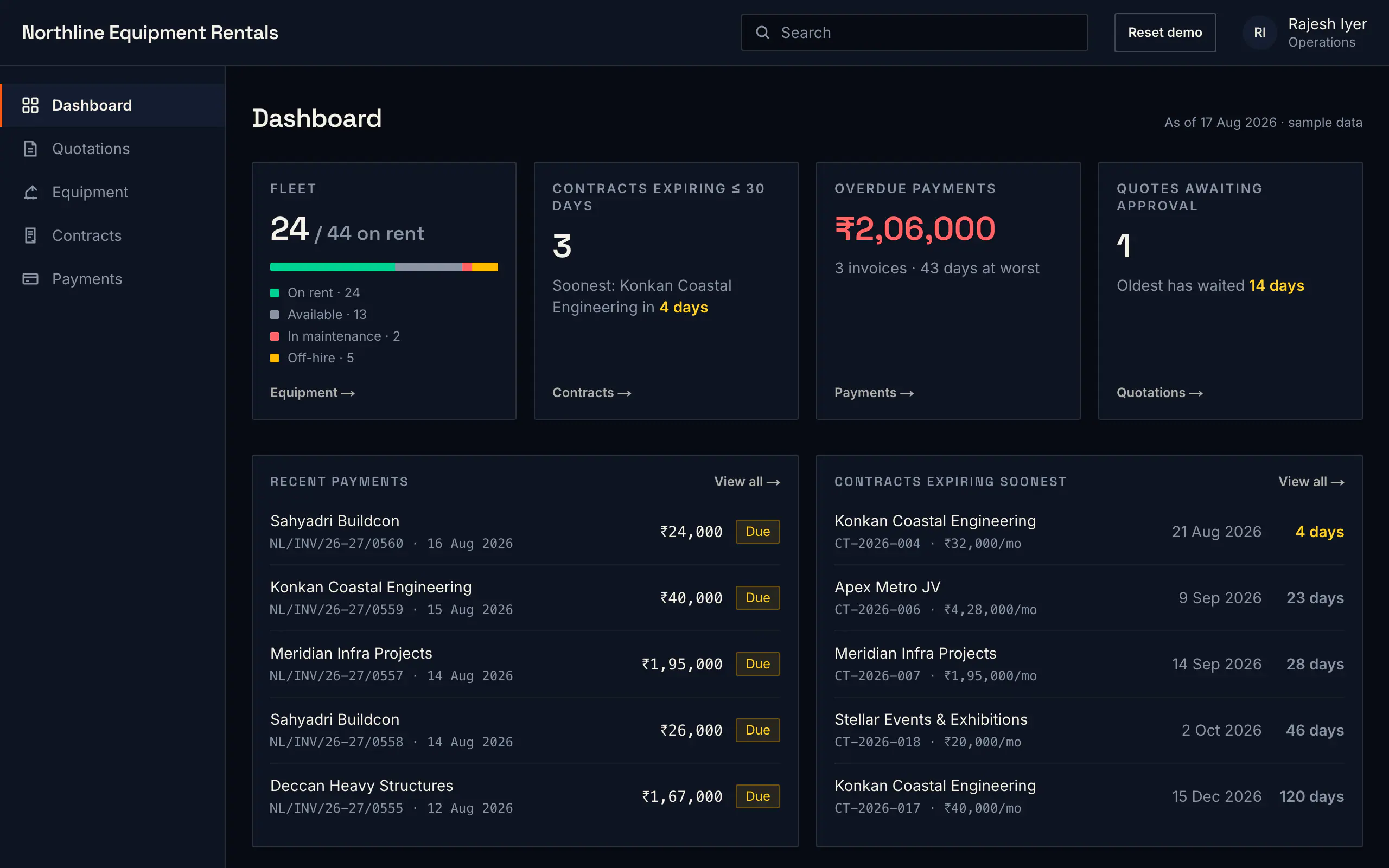
The client platform isn't shown publicly — it belongs to the client. So we built a demonstration system for a fictional equipment rental company instead. Same principles: a spreadsheet where the team needs one, locked formulas, gated exports, approval before anything goes out. Click through it yourself — no signup, nothing to install.
05 — In depth, quoting
Two hundred spreadsheet files a month, and no way to tell which one the client had seen.
06 — Governance
Freedom inside the sheet. Control at every exit.
Rebuilding Excel solves the adoption problem and reintroduces the original one — if anyone can type anything, anyone can quote anything. So the controls went on the edges rather than the surface.
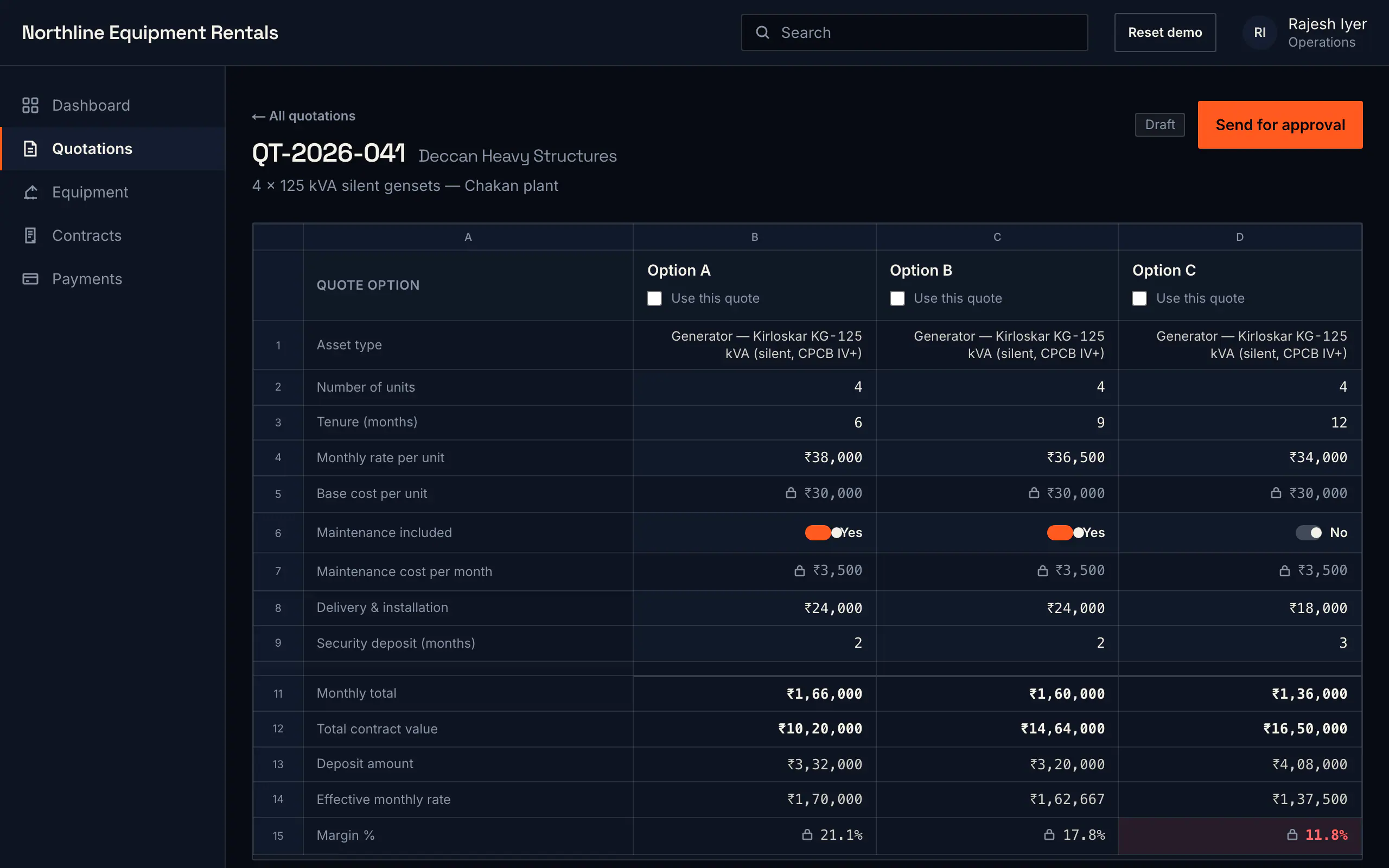
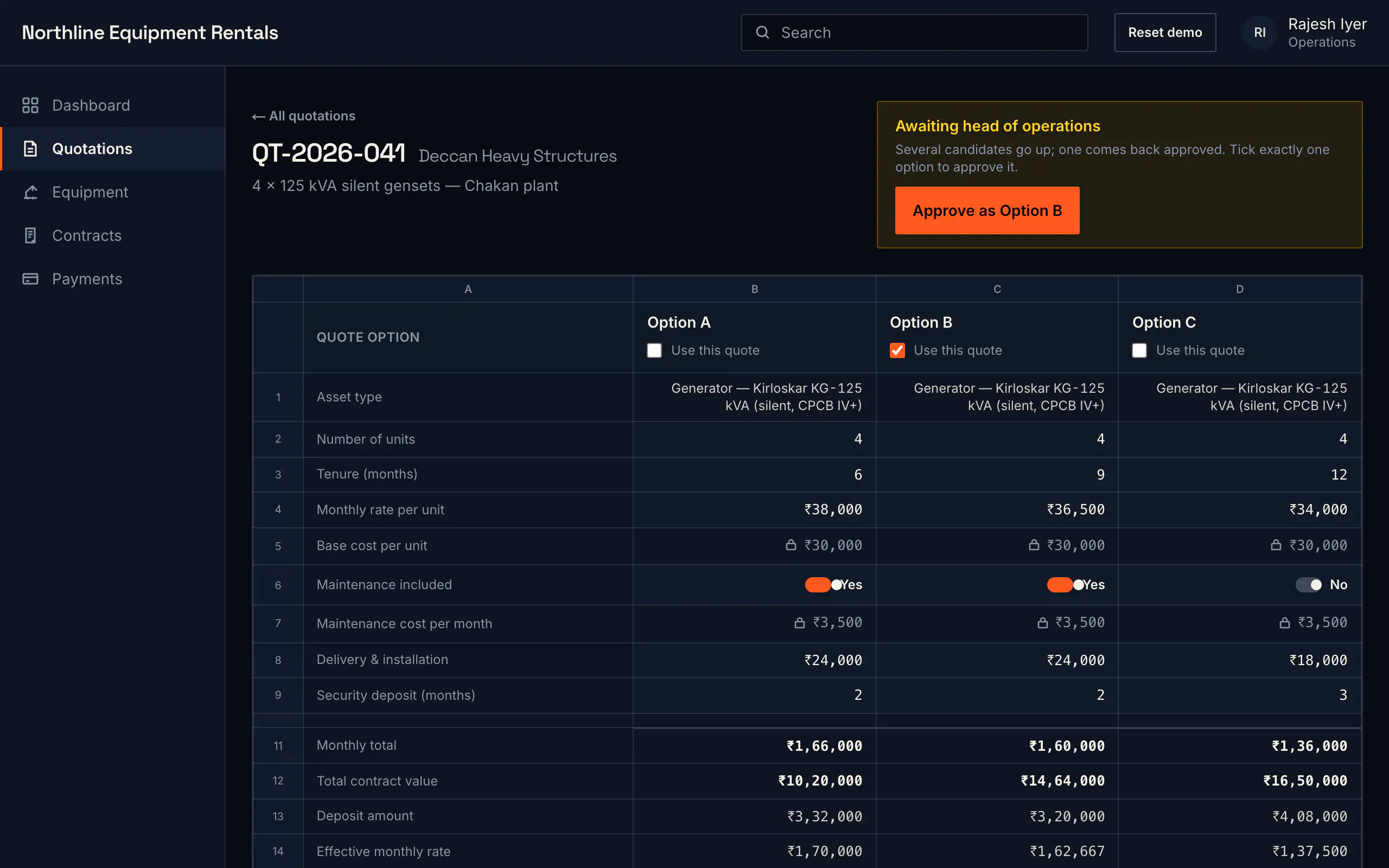
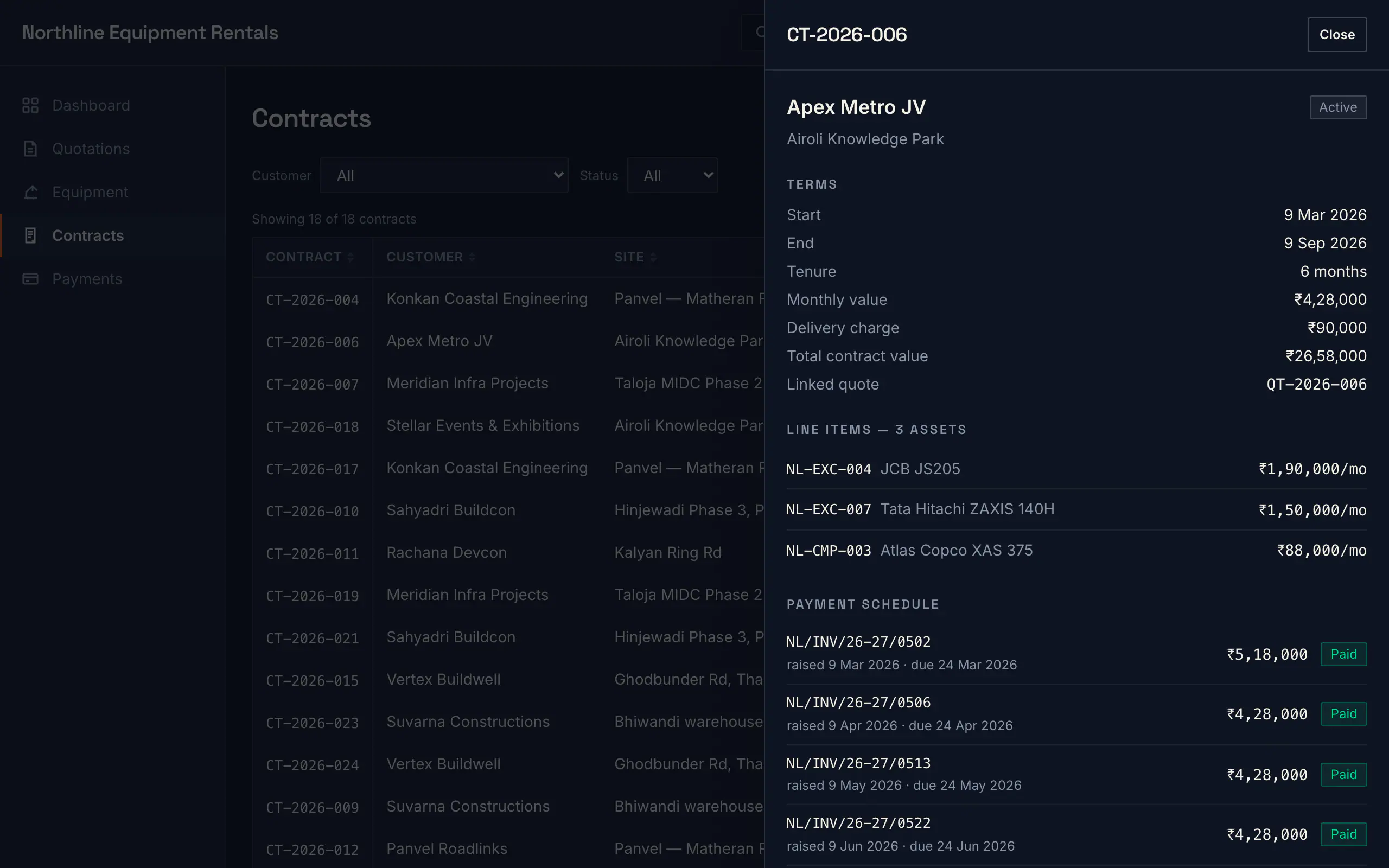
The same idea in our demo system: candidate quotes side by side on one sheet, with the pricing cells locked. Sample data, not the client's.
Candidates in the sheet
The pricing formulas are locked. The sales team works freely in the sheet but cannot alter the rules underneath it. Only heads of department can, and in practice they don't need to.
Approval
Approval is structured around what was already happening informally. Multiple quotes go to the head of operations, who picks the one that goes out. That was the existing habit — the software just made it the actual path rather than an email thread.
One quote leaves
Export is gated. A working sheet holds several candidate quotes and a scatter of rough numbers, so the system won't produce a document until the sheet resolves to one clear quote. You cannot accidentally send working.
The same spreadsheet surface is now used elsewhere in the platform, anywhere the team needs to work with data the way they're used to rather than the way software usually insists on.
07 — The result
500+
vehicles on the platform
30–50
people use it daily
1
system the whole company runs on
30–50 people use it every working day. Today it's the system the operation runs on — quotes, contracts, payments and daily work, in one place.
That's the standard we build to: not software people are forced to use — software the business cannot run without.
The longer write-up is on the blog: Why we rebuilt Excel instead of replacing it. And the practice it grew into is published in full — the 117 questions we ask before building.
Have a workflow that's breaking? Let's look at it together.
Free discovery — we sit with your team and map how the work actually happens today. No charge, no obligation.
Or directly: +91 99874 29712 · hello@solvern.in